Your AI assistant can now manage your bookings
“Book Anna in for a massage on Friday at 14:00.”
That is all you have to say to your AI assistant now. No logging in, no clicking through a calendar — the booking just happens. Or ask “what does Thursday look like?” and get your schedule back in plain language, wherever you happen to be typing.
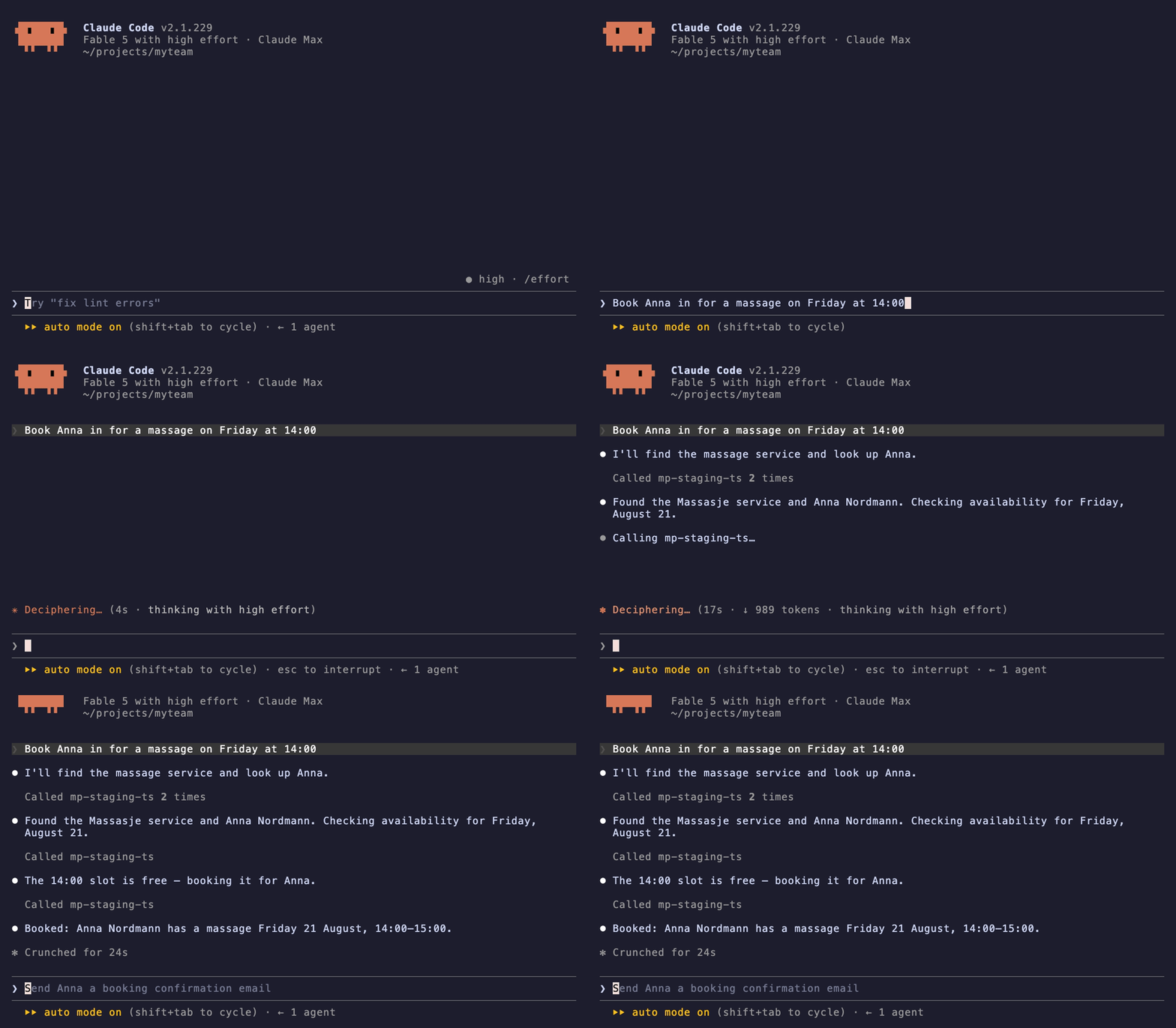
Today we are launching an MCP server for MakePlans, and this is exactly what it lets you do.
Since day one MakePlans has had an API. Our view has always been that your data is your data, and that you should be able to connect MakePlans to whatever tools you use — not the other way around. AI assistants such as Claude and ChatGPT are quickly becoming a tool many of you use every day, so connecting them to your bookings was the obvious next step.
MCP (Model Context Protocol) is an open standard that lets AI assistants connect to external services. And open standard is the important part here. We did not build a Claude plugin or a ChatGPT plugin. We built one integration based on an open protocol, and any assistant or agent that speaks MCP can use it — the ones that exist today and the ones that will exist next year. That is how we prefer to build things. No proprietary plugin stores, no lock-in.
What you can do
Once connected, your assistant can work with your MakePlans account:
- Check availability and find open slots
- List your services and events
- Look up customers
- Create and cancel bookings
Your assistant talks to MakePlans the same way our own applications do. Read more about what this makes possible on our AI booking assistant page.
A note on access
The MCP server is for you, the business. It connects using your own MakePlans API credentials, with the same access as our private API. It is not something your end-customers connect their assistants to — your customer data stays exactly where it always has: in your account, under your control.
And as with everything else we build: this is an addition, not a replacement. The admin panel, the API, the integrations — everything works as before. If AI assistants are not your thing, nothing changes for you.
Setup instructions are available on our developer site. If you run into anything odd, or your assistant does something clever we did not think of, we would love to hear about it.